Mastering The Linux Shell – Bash Shortcuts Explained (Now With Cheat Sheets)
Updated: July 30th, 2021
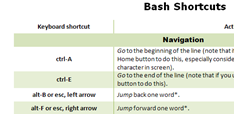 During my day-to-day activities, I use the Bash shell a lot. My #1 policy is to optimize the most frequently used activities as much as possible, so I’ve compiled these handy bash shortcuts and hints (tested in SecureCRT on Windows and Konsole on Linux). The article only touches on the default bash mode – emacs, not vi. If you haven’t specifically assigned your shell mode to vi (set –o vi), you’re almost certainly using the emacs mode. Learn these and your shell productivity will skyrocket, I guarantee it.
…
Debugging Weird sshd Connection Problems + What Happens When You Stop sshd
So the other day I was setting up public key authentication for one of my users, which is usually very straightforward: generate a private/public key pair, stick the private key into user's .ssh dir, set dir permissions to 0700, private key permissions to 0600, stick the public key into the authorized_keys file on the server, and the job's done. However, this time, no matter what I was doing, the public key was being rejected or ignored and the system was moving on to the keyboard-interactive authentication.
Debugging on the client side with -v didn't help much:
Updated: April 23rd, 2008
[WORK IN PROGRESS] Here is a list of commands that I use every day with vim, in no particular order. Out of a billion possible key combinations, I found these to be irreplaceable and simple enough to remember.
|
* |
search for the word under cursor (to the end of the file) |
|
# |
search for the word under cursor (to the top of the file) |
|
ctrl-p,ctrl-n |
suggest (p)revious or (n)ext autocomplete from the list of existing keywords in the file or included files (!). |
|
:go NNN |
go to byte NNN |
|
. |
redo last command |
|
/SEARCH TERM |
search document for SEARCH TERM |
|
:%s/FOO/BAR/gci |
replace FOO with BAR (g)lobally, case (i)insensitively, and asking for (c)onfirmation |
…
 beer planet is a blog about technology, programming, computers, and geek life. It is run by Artem Russakovskii - a local San Francisco geek who is currently pursuing his own projects and regularly enjoys hacking Android, PHP, CSS, Javascript, AJAX, Perl, and regular expressions, working on Wordpress plugins and tools, tweaking MySQL queries and server settings, administering Linux machines, blogging, learning new things, and other geeky stuff.


