Updated: January 4th, 2009
Here are some quick links for now: http://blogs.mysql.com/kaj/2008/05/23/mysql-clusters-improved-release-model/, http://johanandersson.blogspot.com/2008/05/mysql-cluster-62-officially-released.html, http://blogs.sun.com/theaquarium/entry/improved_release_model_for_mysql.
This article contains my notes and detailed instructions on setting up a MySQL cluster. After reading it, you should have a good understanding of what a MySQL cluster is capable of, how and why it works, and how to set one of these bad boys up. Note that I'm primarily a developer, with an interest in systems administration but I think that every developer should be able to understand and set up a MySQL cluster, at least to …
Make Screen and YaST Work Together
Updated: March 19th, 2008
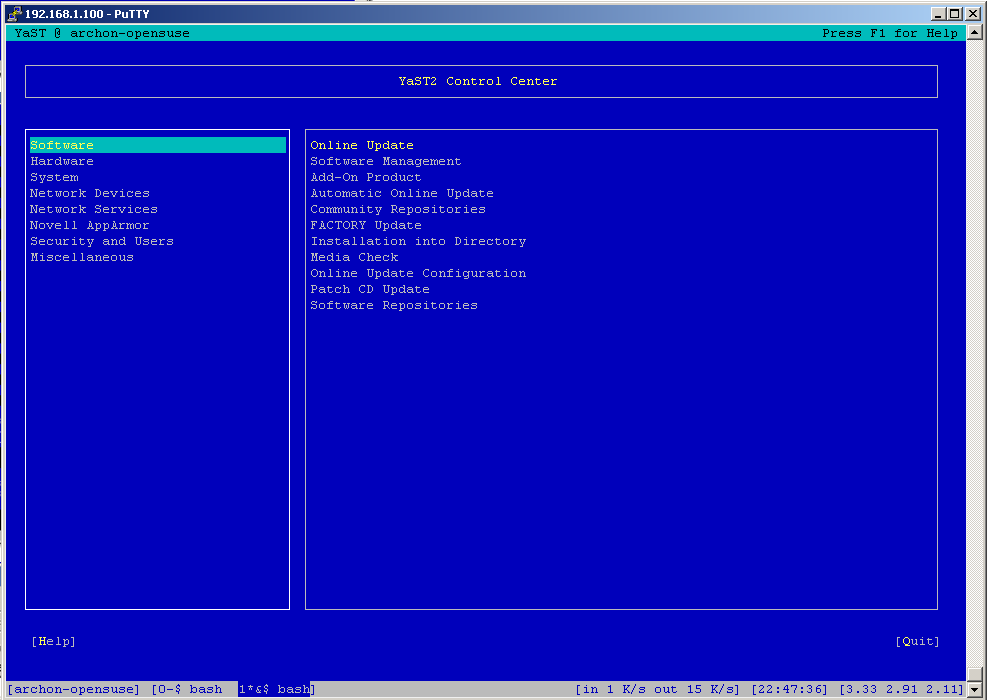
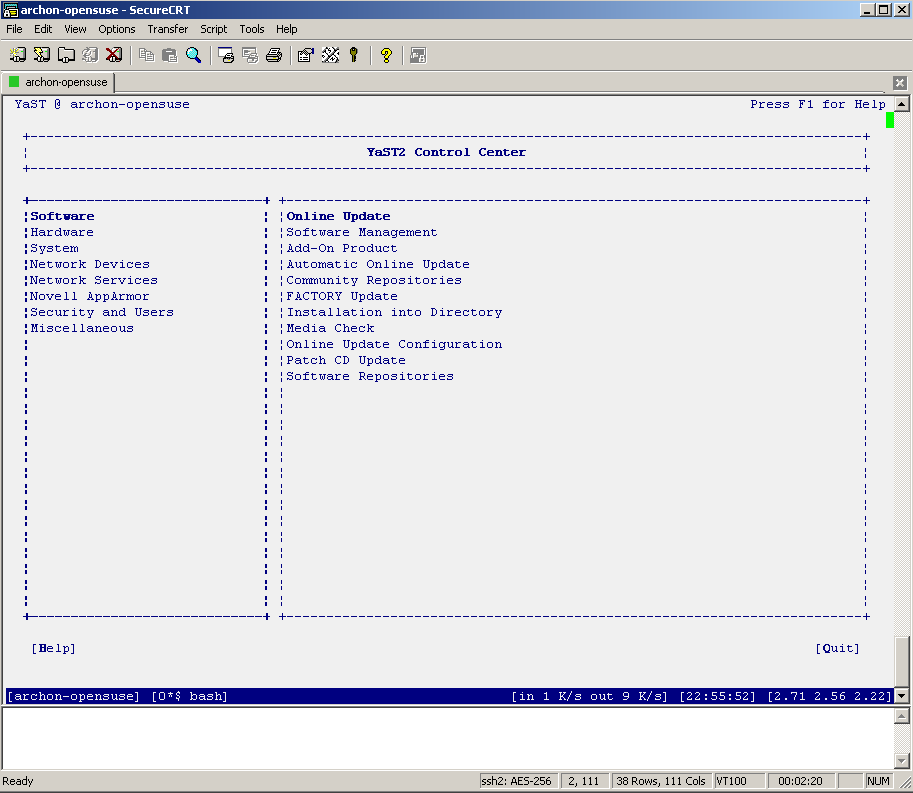
I don't know about you but I've had a lot of problems making screen work nicely with YaST. Both putty and SecureCRT had major problems displaying YaST's ncurses interface. The screenshots below depict the problem quite clearly. If at this point you don't see anything like this, you are most likely not affected and can go get a beer.
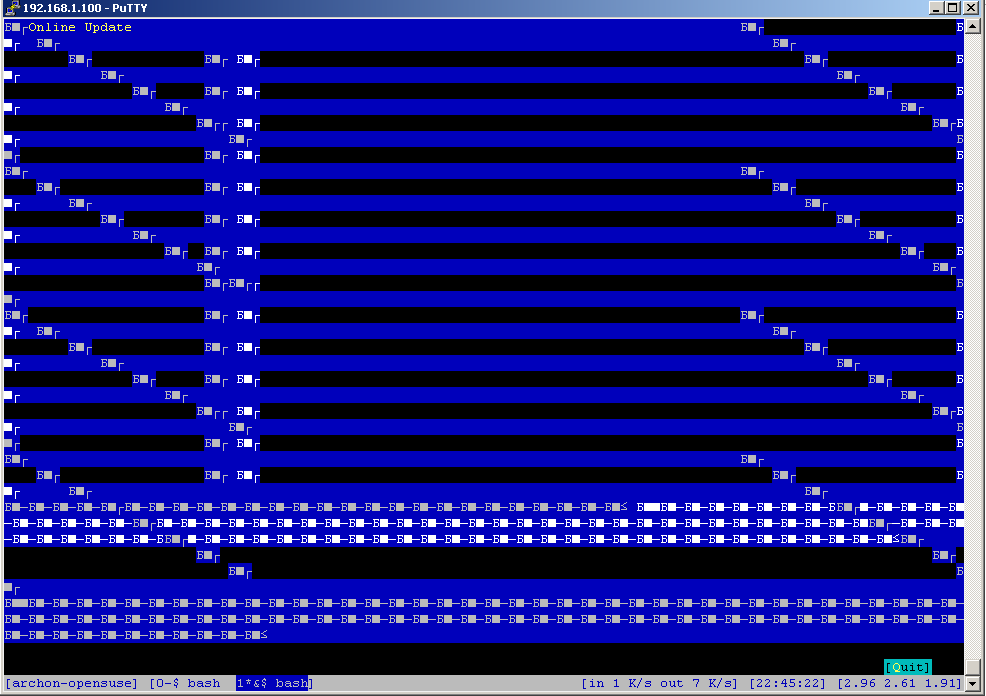
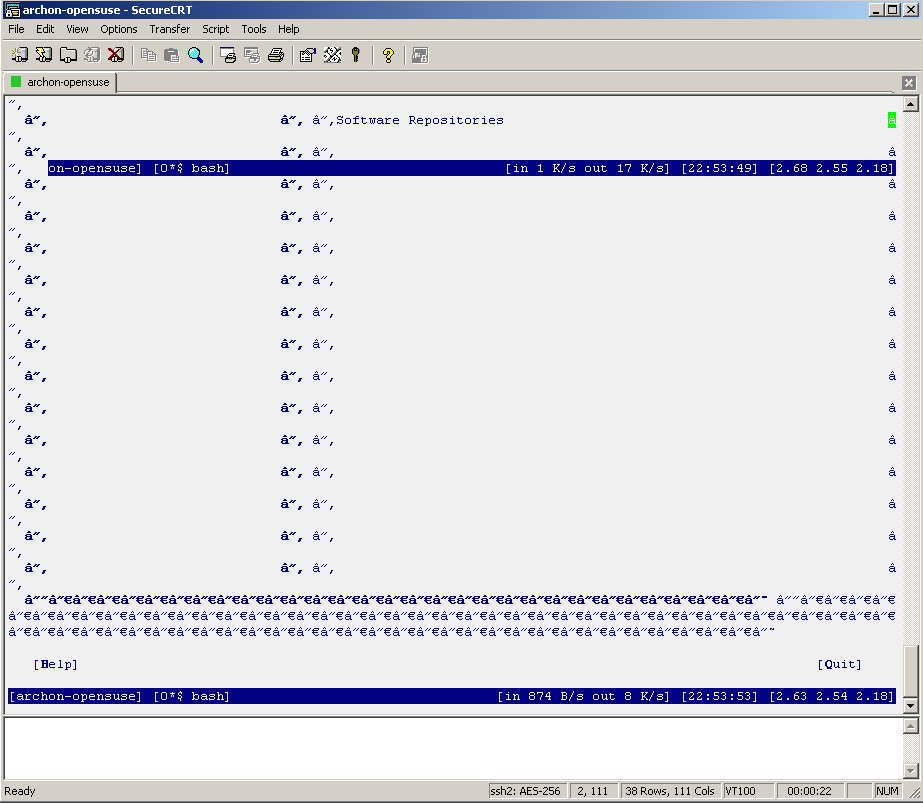
If you are seeing similar problems, here's the fix. After digging around a bit, I have discovered that the problem was incorrect data encoding. My character set was set to KOI8-R while ncurses expected UTF-8. Here is how to change the corresponding setting in putty:
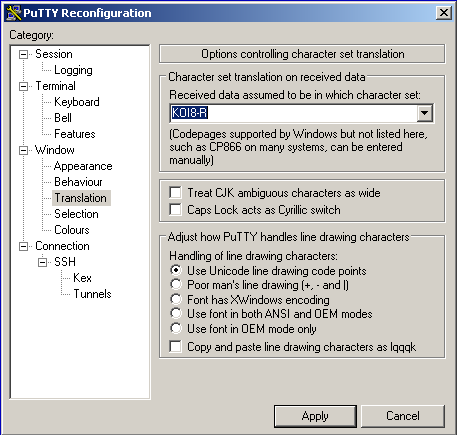
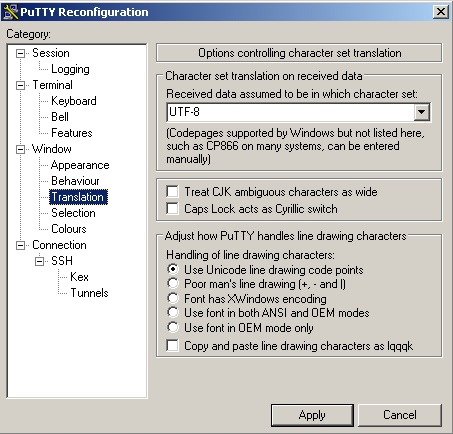
… and SecureCRT:
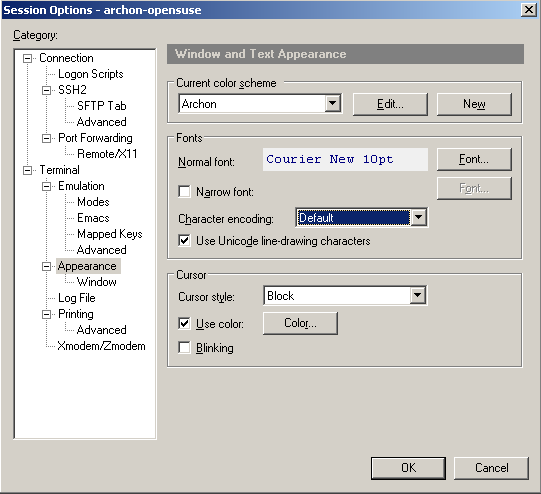
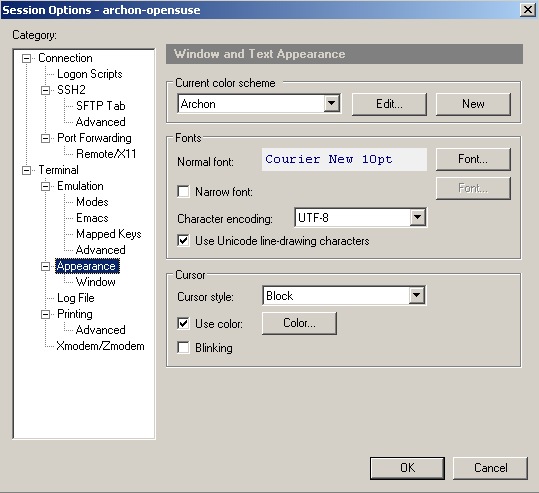
Now restart YaST and voila:
P.S. You may be wondering why my screen …
cpan – The Perl Module Manager
Updated: March 19th, 2008
cpan is a perl module manager. To get into cpan, login as root and type in
cpan |
Install a module:
cpan install MODULE |
Upgrade a module:
cpan upgrade MODULE |
Reinstall a module or force install in case of failed tests:
force install MODULE |
See a list of upgradable modules:
r |
See cpan configuration (that's the letter 'o'):
o conf |
Update an option in cpan configuration:
o conf OPTION_NAME OPTION_VALUE |
It is always nice to:
upgrade CPAN install Bundle::CPAN |
If there's an error making a Perl module, it can be caused by a missing make path in cpan configuration. In …
Updated: October 22nd, 2011
sysbench – Linux test bench. Easy as pie to test CPU, memory, threads, mysql, and disk performance.
Full description is available here: http://sysbench.sourceforge.net/docs/
install mysql, mysql-devel wget http://downloads.sourceforge.net/project/sysbench/sysbench/0.4.12/sysbench-0.4.12.tar.gz tar xvzf sysbench*gz cd sysbench* ./configure && make install |
mysql tests
This will run 10 separate consecutive mysql tests using an InnoDB table type, each with 100 mysql threads, doing a total of 1000 various SQL operations per test. Then it will print the total time they took to finish:
Linux openSUSE 10.2 Learning Experience #1: Introduction
Updated: June 24th, 2020
The purpose of this article is to:
- introduce the new Linux section of the site (specifically dedicated to openSUSE).
- provide a very short description of Linux and compare it to other operating systems.
- answer some installation questions.
I'm a Windows user, I admit it. Not because I enjoy frequent reboots, freezes, and other unexplainable quirks. It's mostly because I have so many programs I'm used to, it would be impossible to switch to anything else, and I know ins and outs that allow me to be very comfortable with the Windows. I'm talking 20-30 programs I'm not willing to give up any time soon.
 However, I also have deep respect for *nix based systems. I started using them back in …
 beer planet is a blog about technology, programming, computers, and geek life. It is run by Artem Russakovskii - a local San Francisco geek who is currently pursuing his own projects and regularly enjoys hacking Android, PHP, CSS, Javascript, AJAX, Perl, and regular expressions, working on Wordpress plugins and tools, tweaking MySQL queries and server settings, administering Linux machines, blogging, learning new things, and other geeky stuff.


