Make Screen and YaST Work Together
Updated: March 19th, 2008
I don't know about you but I've had a lot of problems making screen work nicely with YaST. Both putty and SecureCRT had major problems displaying YaST's ncurses interface. The screenshots below depict the problem quite clearly. If at this point you don't see anything like this, you are most likely not affected and can go get a beer.
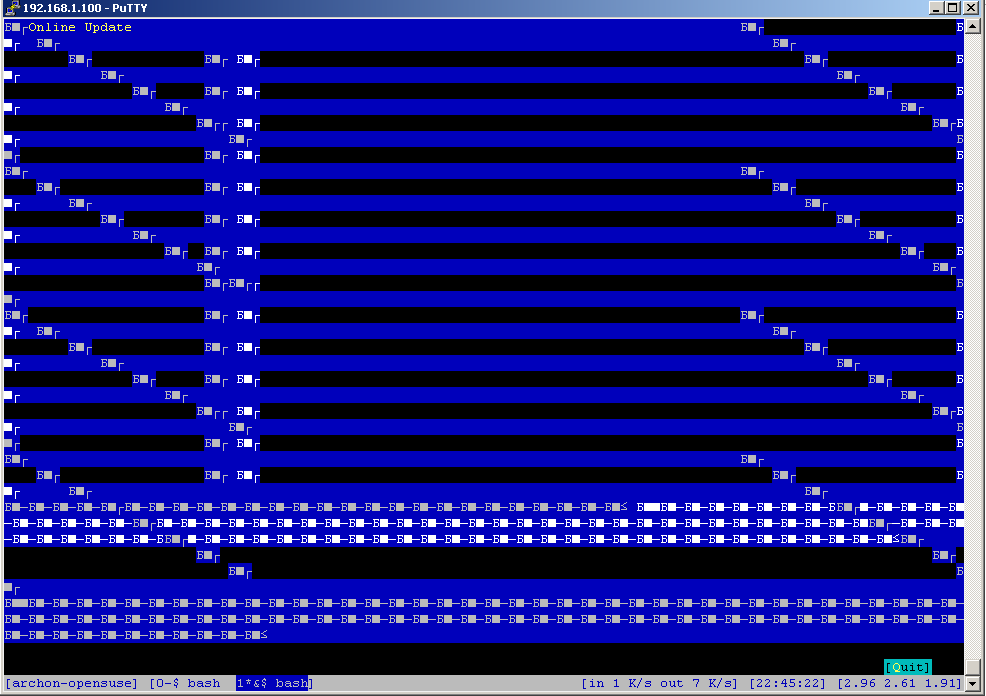
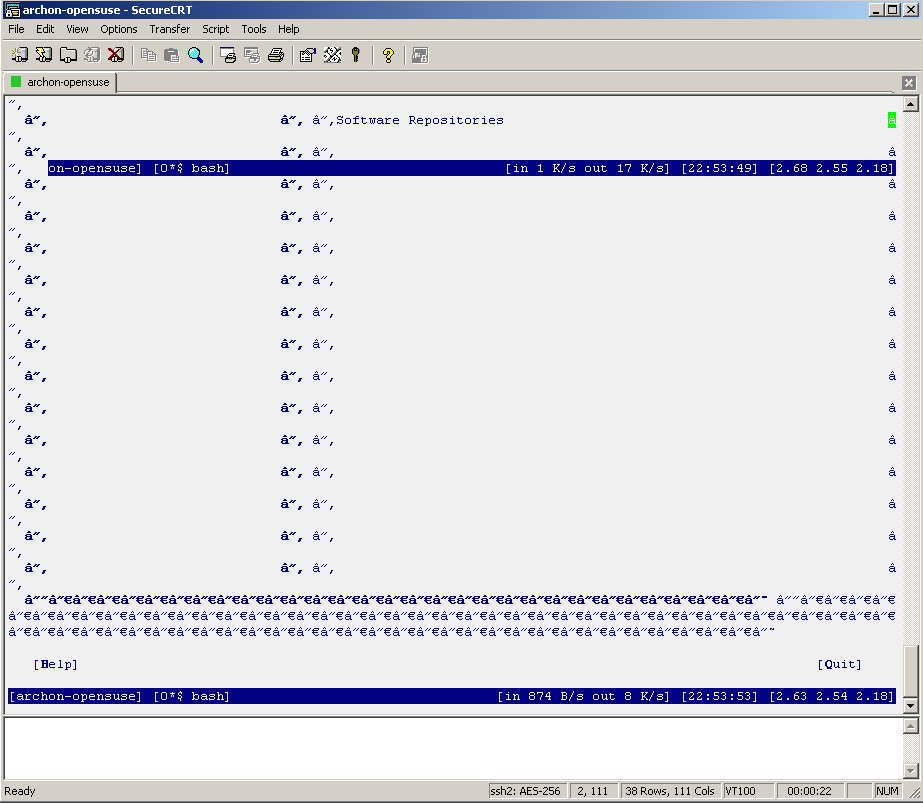
If you are seeing similar problems, here's the fix. After digging around a bit, I have discovered that the problem was incorrect data encoding. My character set was set to KOI8-R while ncurses expected UTF-8. Here is how to change the corresponding setting in putty:
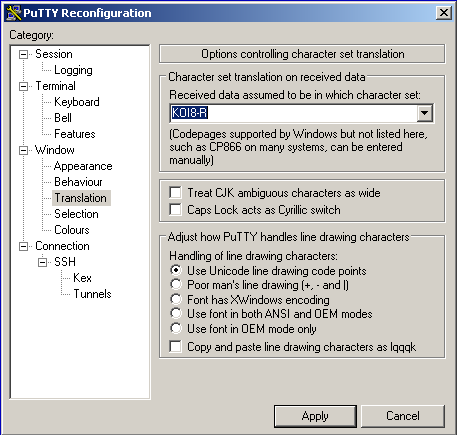
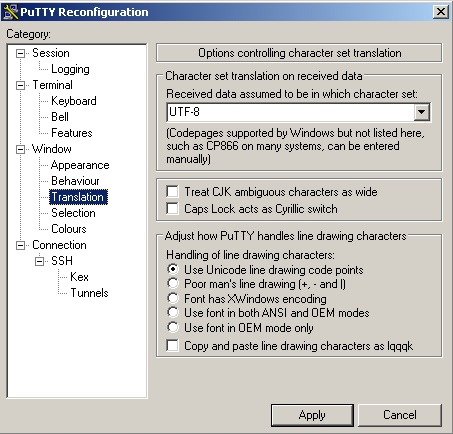
… and SecureCRT:
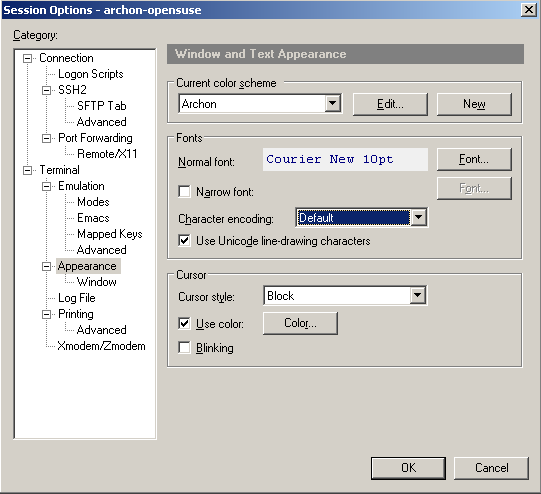
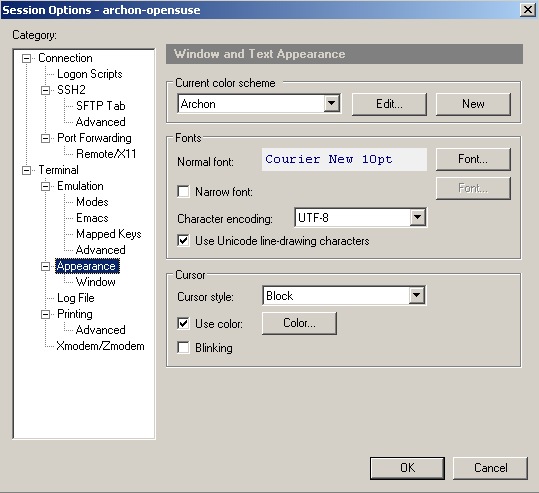
Now restart YaST and voila:
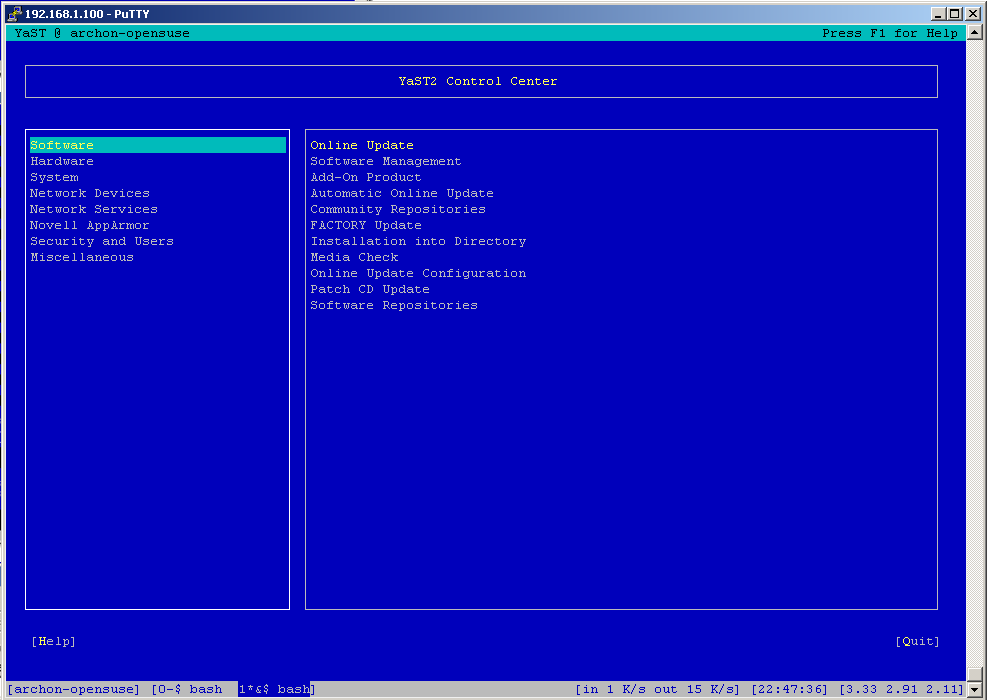
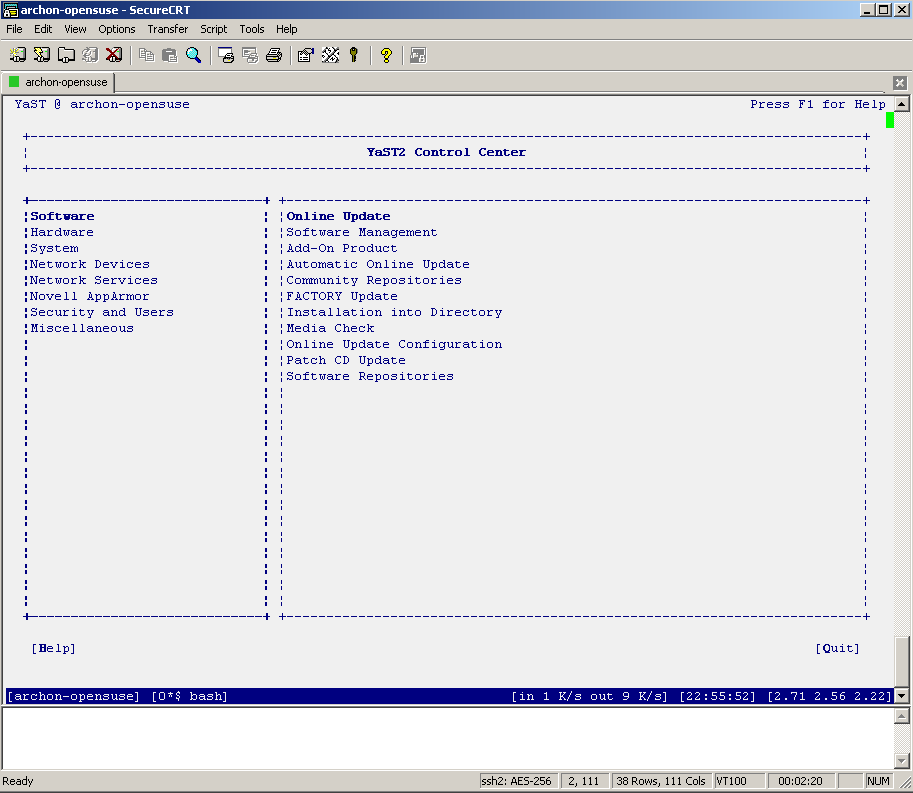
P.S. You may be wondering why my screen (the GNU one) has a handy footer bar and how to configure it. Not to worry, I will be posting more info on it soon.
In the meantime, if you found this article useful, feel free to buy me a cup of coffee below.
 beer planet is a blog about technology, programming, computers, and geek life. It is run by Artem Russakovskii - a local San Francisco geek who is currently pursuing his own projects and regularly enjoys hacking Android, PHP, CSS, Javascript, AJAX, Perl, and regular expressions, working on Wordpress plugins and tools, tweaking MySQL queries and server settings, administering Linux machines, blogging, learning new things, and other geeky stuff.


