[Updated x3] Goodbye Outlook, I Don't Need You Anymore – Gmail Now Lets You Paste Images Directly From Clipboard
 There used to be a time when you couldn't imagine your life without Microsoft's Outlook – web email clients were pathetic and non-functional, Internet access was scarce, and access to certain advanced features was only possible with a desktop application like Outlook.
Then, Gmail arrived and exploded the whole notion of desktop email clients forever, almost overnight. It was fast, robust, logical, and integrated – many things Outlook still isn't to this day (Outlook 2010 + IMAP is pure hell).
Slowly, Google brought out more and more features that made the fine line between web and desktop emailing thinner and thinner, and today, it finally disappeared, at least for me.
The final nail in the coffin turned out to be …
It's always important to know for developers what browsers they are developing for, who dominates the market, and what the current trends are.
I have gotten my hands on the Plaxo.com visitors' browser stats for December of 2009.
This information is valuable because Plaxo has a relatively general demographics, as it's not a site only geeks or only moms visit, and the statistics tends to not be skewed. Therefore, as you can see, Firefox doesn't occupy the same share as you might see on a techy site (on this site, more than 50% of users visit in Firefox).
Also, since Plaxo has a couple million monthly visitors and therefore a couple million data points, statistically speaking these numbers are relatively …
 As a backend developer, I don't get to work with JavaScript much anymore. However, from time to time, a project would come along that uses JavaScript (specifically, AJAX) to load some backend data on the fly. Of course, nothing works 100% right away*, so I would often have to tweak this JavaScript and massage it until it does what I need.
Here's where Firebug comes in with its JavaScript debugger. I'm used to using a debugger in every language I deal with, so using Firebug is a no brainer. Since it supports breakpoints, stopping execution and inspecting local variables and the rest of the scope generally beats alerts and console.logs for me.
Here's what a typical breakpoint looks …
 Well, this one almost escaped my attention but I'm glad it didn't: the best online news reader – Google Reader – just enabled favicon support for each feed you subscribe to.
Favicons are those 16×16 pixel tiny icons you see next to site urls in your browser and bookmarks. Not surprisingly, this was done as a 20% project, which is when Google developers get to work on anything they want, quite similarly to the monthly "haxo"s that Plaxo runs (that is where I work).
So now the previously boring subscriptions:
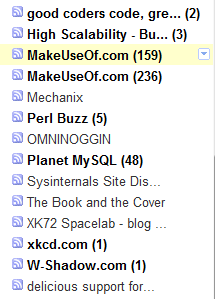
look like this:
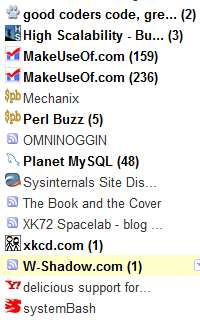
Better, isn't it?
All you have to do to enable favicons is either click the down arrow next to Subscriptions and select "Use favicons":
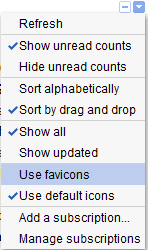
or
Go to …
Updated: December 16th, 2009
 It's not a secret that my Sprint HTC Hero has been having trouble keeping battery charge – by the time I came home from work, the battery level would oftentimes be at 10% or the phone would be simply dead.
One would give up and accept this futility but I had 2 reasons to keep trying to figure out why:
- my co-worker's battery would consistently hold twice as much charge as mine – by the time I was at 50%, he was at 75%
- a wide range of responses on Internet forums and blog posts suggested some people experienced excellent battery life, while others, like me, did not have as much luck
…
HTC Hero Coming To Sprint October 11th! $179.99, Powerful, And Sexy. Here Is Why You Need To Own It
Updated: September 8th, 2009
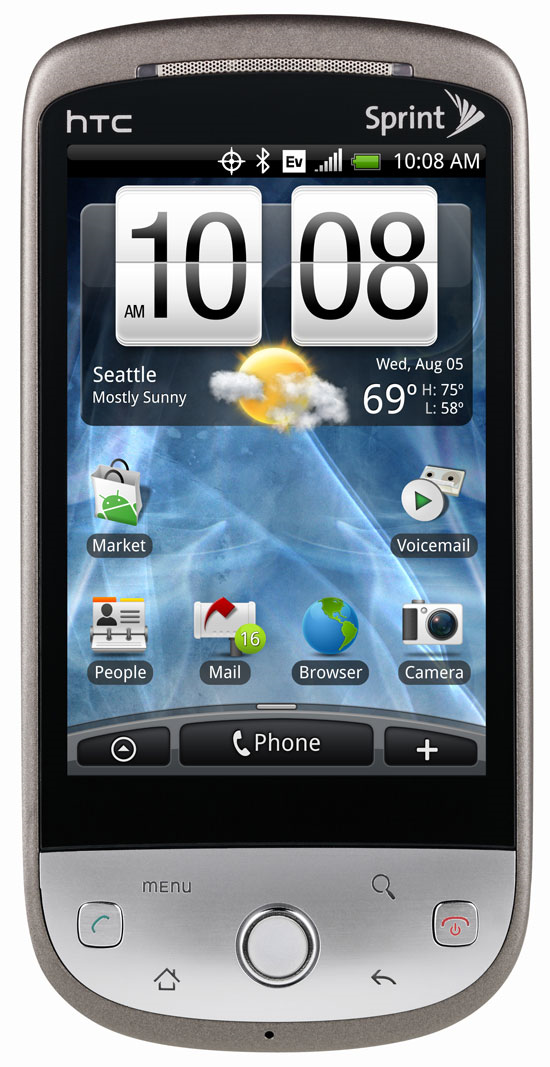 Well, it looks like the wait is over. I have been waiting for almost 5 years for a new phone that is good enough to make the switch from Samsung A900 (which has free tethering). Don't even get me started on the iPhone and its outrageous monopoly with AT&T. Android and the growing multitude of devices running it is, however, completely different business. Android offers unparallel freedom and I truly believe it will be the top phone OS within a few years as more and more Android phones are introduced to the market.
But where was I? I have been closely following Android news since its inception, then the introduction of the first phone – T-Mobile G1 (aka HTC Dream), …
A Detailed Depiction Of The Job Interview Process At Google (by Peteris Krumins)
 Peteris Krumins is nothing short of a technical genius. Every single one of his blog posts is so detailed, one can write a book about it. He blogs about Linux, programming, and other tech stuff on his blog http://www.catonmat.net/.
A short while ago, Peteris posted his very thorough experience interviewing at Google. Needless to say, the level of detail is astounding. Unfortunately, he didn’t get the job but the post is very positive and informative. Here is the gist and a short excerpt:
More On Android – A Mobile OS With A Clue
I’d like to share this relatively new video that shows Google Android’s mutli-tasking capabilities and the seamless integration of these capabilities. Hey, it’s got a copy/paste too (eat that, iPhone!). Android is an OS that’s got a clue. I applaud Google developers for thinking ahead.
You can view more videos from the Android/Google developers here….
Updated: September 5th, 2008
So Google Chrome – Google's attempt at an open source browser, came out yesterday and I took it out for a spin. At its heart is the Webkit engine (also open source) and Google Gears, powered by SQLite (can MySQL rival SQLite in applications like this?). Here are my thoughts.
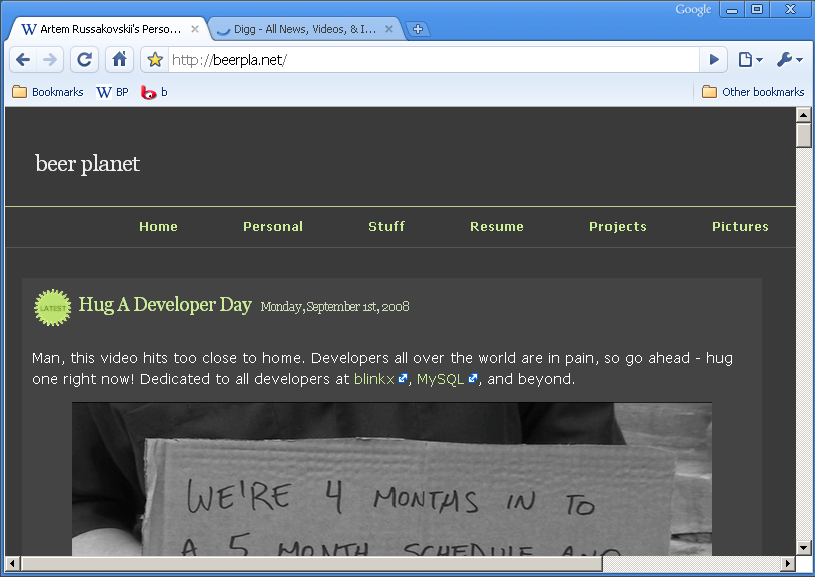
- Fast – Chrome loads extremely fast, blazing even. Granted, my Firefox would probably load fast if I didn't have any addons as well. Sites like Amazon or Digg load very fast. New tabs open instantly.
- Slow – http://www.blinkx.com/videos/channel:itn, seems like the combination of flash and html (or JS) on one page makes scrolling and redrawing quite slow.
- Very fluid design – I love how the tabs flow around
…
 As Matt Cutts (Google's SEO and search quality expert) wrote in his blog entry a few days ago, Google PageRank updates are underway. Google updates PR (Page Rank) quite rarely – every three months or so, and it's the most important thing a website operator should be concerned with when it comes to site promotion and popularity.
I'm happy to report that Beer Planet's PR went up yet again on this update, from 3 to 4 and my buddy Thaya's PR went up from 2 to 3. He's been blogging a lot more about WordPress, and I think he'll surpass me very soon, thanks to his ingenious plugins.
Is it time to check your site's PR? You …
Google Phone (Android) Demo Of Streetview With Compass
Updated: June 1st, 2008
I think this is going to be really neat: you walk around the streets of San Francisco, for example, with your Android powered phone, en route to your destination 20 blocks away.
You whip out your phone, go to Google Maps, pull up the StreetView (remember this?), which zeroes in on your location using a built-in GPS, and then changes as you move the phone around using the built-in compass.
You then virtually walk the city, looking around, without actually moving an inch (looking for the closest ATM, restaurant, etc, hint-hint?).
Without further ado, let's have a look at this video from Google's I/O Conference for a demonstration?
Interesting Uses For Google Streetview (Video By Google)
By now I think most everyone has used Google maps and seen the street view feature. Lately the maps team has been doing an amazing job covering the bay area, so now you can literally walk the streets for hours.
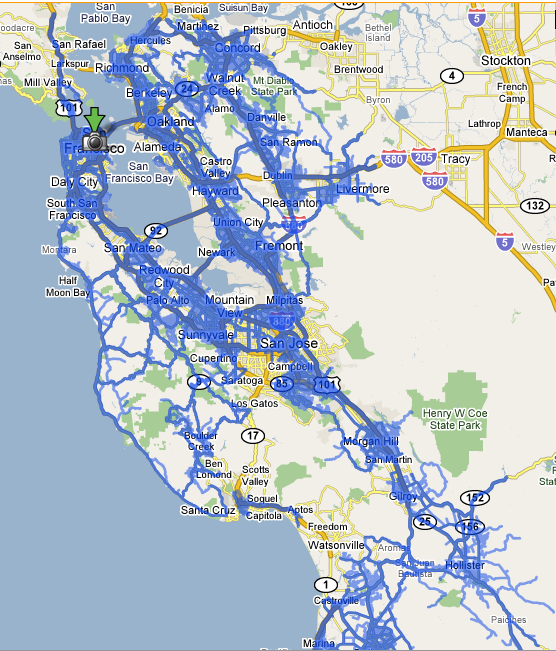
Virtual walking aside, there are some really creative uses of this feature posted in this video by the Google team today. I never myself thought to check my own street for street cleaning signs – saves a trip downstairs! Or look at the toll road prices (like the Bay bridge toll). Or at least watch people falling off their bikes. Anyway, just watch the video (thanks to zefrank for posting it).
…
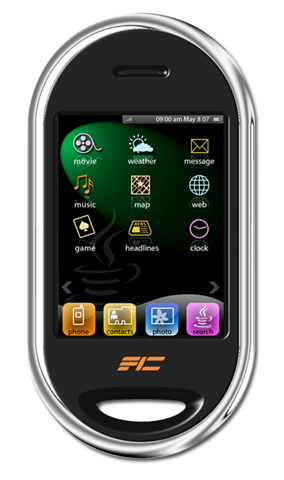 One thing that still springs to mind when I think of the MySQL User Conference last week is Sun's opening keynote. While talking about Sun's market penetration with open source software, Jonathan Schwartz, Sun's CEO, slipped in a short mention of the mobile market saying something along the lines of "Sun is going to be entering the mobile market later on this year". He didn't spend more than 5 seconds talking about it, moving on to the acquisition of MySQL.
Last year, Sun already made an announcement of JavaFX, a Java-based mobile platform but didn't provide any concrete timelines, so I was excited to hear the more on the subject. With Apple iPhone's advent last year and …
 beer planet is a blog about technology, programming, computers, and geek life. It is run by Artem Russakovskii - a local San Francisco geek who is currently pursuing his own projects and regularly enjoys hacking Android, PHP, CSS, Javascript, AJAX, Perl, and regular expressions, working on Wordpress plugins and tools, tweaking MySQL queries and server settings, administering Linux machines, blogging, learning new things, and other geeky stuff.


