WTF

I don't know about you, but I'm incredibly sick of Facebook quizzes. Yeah, shit like this which occupies 90% of my news feed:

image

And to make matters worse, Facebook provides no means to block these quizzes and rid your profile of them forever. The only thing you can do is block each individual quiz. But just like weeds in your backyard, when you block one, three more rise up in its place. I know I am not alone here - there are literally billions of people searching for a solution to the plague.

So, what does the tech community do when it is not happy?

  1. Runs to mommy, crying.
  2. Drinks heavily, passes out, and comes to work with a keyboard faceprint, dressed as Koolaid.
  3. Ignores the problem and lives with it (pussy).
  4. Takes the matters into its own hands and develops a solution.

The correct answers are:

1. image 2. image and 4. image

Enter a true geek at heart by the name of Steeev with his Facebook Purity greasemonkey script that was created with the sole purpose of BLOCKING THE FUCKING QUIZZES. Go Steeve Steeev!

Solution

Installation is as easy as 1, 2, 3:

  1. Install Firefox (you already have that, right?)
  2. Install the Firefox greasemonkey extension
  3. Install the Facebook Purity script

That's it. Now go to your Facebook page (make sure you access it via www.facebook.com or www.new.facebook.com and not YOURUNIVERSITY.facebook.com (like ucdavis.facebook.com)).

Check it out - all quizzes are gone, the script even tells you how many quizzes were blocked:

image

Pure bliss. Rest quizless now, everyone.

 
  • Share/Save/Bookmark

Introduction

Welcome to part 2 of the Essential Firefox Extensions And Tips – A Comprehensive Guide series. In this article I’m going to describe a number of time saving pragmatic extensions that make me a better, faster, more efficient browser user (browserer?).

Pragmatic Extensions

All-in-One Gestures

All-in-One Gestures introduces customizable gestures for all kinds of actions. To perform a gesture, hold the right (by default) button and move the mouse in the specified direction, drawing the needed shape.

Btw, I believe Opera has gestures without any extensions, so Opera users should feel right at home using All-in-One Gestures.

image_thumb12

I use it mostly for 3 things: history back/forward and close tab (see below). Once you start using gestures, there is no going back.

image_thumb131

Download Statusbar

Download Statusbar is a handy extension that will show your downloads on a dedicated bar right above the status bar. It also adds a much needed “Delete from system” option to each download (why, Firefox, would you not give me an option to delete my downloads at all?). The Download Statusbar only shows up if there’s at least one download not dismissed yet. Double clicking on a finished file will both launch and remove it from the bar.

image_thumb1

image_thumb21[1]

OpenDownload

Running downloaded files without saving them is probably the only Internet Explorer feature I actually missed, until I found OpenDownload that is. This extension will give you an option to launch a download upon completion in addition to just saving it. I don’t have to worry about finding and deleting it from my system later as it goes to Firefox’s temporary folder.

image

Tab Mix Plus

This extension is very powerful and versatile. It controls various aspects of the browser tabs, windows, session, and mouse. Here are the settings I find useful:

  • open links that open in a new window in a new tab instead
  • open all javascript popups in tabs (I hate popups)
  • in fact, I enable the single window mode, in which all attempts to open a new window – by webpages or by you, including starting a new Firefox – will be redirected to a new tab
  • highlight unread tabs, which would italicize the tab titles of pages that had something new loaded since you last opened them
  • show progress meter on tabs
  • close tab button on all tabs (instead of a single one on the right side)
  • hide the new tab button that occupies extra space
  • customize the tab menu options

Here are some option screens:

image_thumb111 image_thumb3

image_thumb4[1] image_thumb5

image_thumb41

Google Toolbar

The google toolbar is historically sort of a must for me. It adds a couple of nice features on top of the default search box and frees the latter, so that I can set it to another search engine (IMDB in my case). With the amount of searching one does on google daily, the sheer number of clicks and keystrokes saved will be in the thousands. Daily. I search a lot, OK?

image_thumb6

In addition to providing an always present search bar, the toolbar carries a number of useful features, such as live search suggest, instant PageRank (unneeded if you install SEO Toolbar or SearchStatus), search Gmail and News buttons (and many others), clickable search terms good for in-page search, highlighting of the said terms, a simple autofill (though I use an irreplaceable AI Roboform instead), spell check (Firefox has one built-in now), translate (I use the gTranslate extension instead). All in all, one can do without google toolbar, depending on the needed functionality.

Don’t be afraid to install more toolbars than you need at any given time as you can always hide the ones you don’t want to see by right clicking the top menu bar:

image_thumb2[1]

Linkification

Linkification is a really pragmatic extension. It hyperlinks any url-looking strings that aren’t already hyperlinked. Take a look.

Linkification off: image_thumb8


image

Linkification on: image_thumb9[1]

image

The extension has a variety of options to satisfy even savvy users but I found that defaults work really well. If for some reason you want to momentarily turn off linkification, just tap the image_thumb9[1] button in the tray and the page will revert to its original form. By the way, if you really want to put it to the test, install it and head over to the comprehensive test case list.

Greasemonkey

Greasemonkey is the most versatile extension available for Firefox, as it’s essentially a whole framework for scripts that can manipulate any aspect of any page. Head over to userscripts.org and take a look at the myriads of scripts written and submitted by other Greasemonkey users.

image_thumb121

Still not clear what these can do? Let me list some that I use and their brief functionality:

  • Digg Top 10 Direct – automatically rewrites the digg’s top 10 links to go straight to the articles, instead of the digg comment page. Clicking on the digg icon still goes to the comments page though, and I think this is the ideal functionality.
  • Google Image Relinker – rewrites google image search urls to go directly to the corresponding images rather than the page they were found on.
  • YousableTubeFix – adds a small smart menu that dynamically shows which qualities a given youtube video is available in and automatically picks the best one, adds download links to the each quality (FLV and MP4), resizes the player to your liking, and a few other things. It is also quite customizable.

image_thumb13[1]

  • The now world famous Troy's Twitter Script that I reviewed a few week ago - it does everything Twitter currently doesn't, including Autocomplete, Auto URL Expansion, Auto URL Shortener, RT Button, Nested Replies, Inline Media Embed, Search Tabs, and more.
  • AideRSS Google Reader Integration – adds AideRSS feed rank to each entry in Google Reader, which allows eyeballing more important articles within a few seconds of seeing a feed. Also available as a separate extension for those not using Greasemonkey.

image_thumb14

Show MyIP

Show MyIP does exactly what it says: it displays your current IP. What I like about it is that it queries for it on demand, after you left or right click the icon. This approach avoids unnecessary queries going around.

image_thumb3[1] -> image_thumb4 -> image_thumb7[1]

What I don’t like about it is that there seems to be no way to copy this IP to clipboard. Ideally, a right click option would work great (that’s the way the next extension ShowIP does it). I left a comment about this fact on the extension’s page, so hopefully the author will implement it shortly.

Also, if an error occurs, be prepared for some good old German cursing:

image_thumb6[1]

ShowIP

ShowIP, in contrast to Show MyIP, actually displays the IP(s) of the website I’m currently on. It then allows me to copy it (or all of them) into clipboard and provides quick information links, such as whois, ip2country, and traceroute.

image_thumb8[1]

ShowIP is useful for both developers who want to know which dev server they’re currently working on as well as regular users who are interested in the location or whois of a site they’re visiting.

If only the country where a site is hosted is needed, then you are probably better off using Flagfox, described in part 3 of the series.

iimmgg.com Tools

iimmgg.com is a picture hosting site similar to tinypic.com and photobucket.com. Generally, it allows quick picture uploading with thumbnail creation. This extension makes this process insanely simple, I can’t say enough praise how good my user experience was with this extension. Check this out.

The extension has 2 modes:

1. If you right click on a picture, there’s a single option to upload it to iimmgg.com:

image_thumb13

As soon as you click Upload, you are almost immediately redirected to a page on iimmgg.com with your picture and thumbnails already generated. Swoosh, that was fast. Internally, the extension sends the user to something like http://www.iimmgg.com/upload.php?u=http%3A//beerpla.net/wp-content/uploads/BenefitsofMUNI_1E7D/image.png&r=about:blank&s=1&t=, which then redirects to the final picture.

2. If you right click anywhere else on the page, there are now 3 ways to capture an image to iimmgg.com:

image_thumb9

Select either of the 3 options: Visible Page, Full Page, or Select Area. Let’s say I select Select Area. A resizable overlay that I can drag it around to select the area I want shows up. Brilliant.

image_thumb10

After I figure out what I want to capture, I click on the Capture Selected Area button in a bar that just showed up (btw, the styling of both the bar and the selector are very reminiscent of the Web Developer extension):

image_thumb11[2]

The next and final prompt shows up with the Image Format selection (PNG – High Quality, JPEG – High Quality, JPEG – Medium Quality, and JPEG – Low Quality), SFW selection, and capture name:

image_thumb14[1]

Click Capture and upload (or save to disk, which is not as fun but also useful):

image_thumb15

Voila – the picture is ready for sharing.

iimmgg.com doesn’t support hotlinking.

Remove Cookie(s) for Site

Remove Cookie(s) for Site does exactly what it says – removes all cookies that belong to a domain and all subdomains of the site you’re currently on. Right click anywhere on the page, click Remove Cookie(s) for Site and the taskbar will update with the number of cookies removed.

image_thumb16 -> image_thumb17[1]

You can also pull out a nice little button to a location of your choosing, like so:

image

Oftentimes I don’t even bother looking for a logout button – deleting all cookies is a lot faster.

Signature

Signature, as you probably guessed, inserts a signature into a text form. It supports as many signatures as you want. The uses can be versatile, here are just some:

  • the obvious “first and last name” signature
  • a full signature with your site link which can help in site promotion. Mine, for example, is
  • disclaimers
  • coined replies to emails
  • various addresses
  • repetitive urls
  • any other frequently used set of strings that you have to continuously copy-paste

image_thumb18[1]

Don’t use a mouse when inserting a signature. Due to the fact that Insert Signature conveniently places itself at the top of the menu, it’s much quicker to use the keyboard button that simulates right click (most laptops and keyboards have it), click down, then right, then select signature, and press Enter.

QuickRestart

QuickRestart adds a Restart Firefox option to the File menu. This is quite handy, especially when you have a lot of extensions and it may take Firefox 30 seconds to shut down.

image_thumb19

The only downside of this is that it seems to lose the protected and locked tab properties set by Tab Mix Plus. Shutting down Firefox and starting it manually does not lose such properties.

Resizeable Textarea

Ever seen a comment box this big and got annoyed by the idiot who designed it?

image_thumb20

Fear not, as Resizeable Textarea adds resize capabilities to any text area. Move the cursor to the bottom or right borders, or the bottom-right corner, and drag all you want:

image_thumb21[2]

TryAgain

TryAgain is a great and very simple extension. It retries loading a failed page up to 5 times instead of just sitting there. This screenshot explains everything:

image

View Cookies

View Cookies is a simple extension that adds a Cookies tab to the VIew Page Info box. The tab allows viewing, removing, and copying cookie info for the site you’re currently visiting. There is a number of extensions that do similar things, like Firebug and Remove Cookie(s) for Site, but I install View Cookies anyway because its functionality makes sense.

image_thumb23

image_thumb22

Google Gears

Google Gears is a very useful extension, and it’s a shame that a lot of people don’t seem to understand what it does. Think of it as simply a secure local cache (developed by Google). Quite a few popular websites support Gears, and I think it is best to just give a few examples of actual usage.

One limitation of Gears that I am not sure can be overcome yet is you have to open a Gears-enabled site while you still have Internet connection. Once it is open, you are free to lose your Internet connection, and Gears will kick in. This is why I always keep a page with Google Calendar and rememberthemilk open.

  • gmail.com – gmail rolled out offline email support quite recently, which is the most useful implementation of Gears to date.
  • wordpress – if you host a wordpress blog, you can opt in to cache a few hundred files in Gears that will speed up the wordpress admin interface. Wordpress calls this Turbo mode.
  • rememberthemilk.com – RTM, the most advanced and functional TODO list site, offers an excellent implementation of Gears. If you lose your connection, you are free to create, modify, and delete any tasks you want – all the changes will be synchronized when you go back online.
  • google reader – the reader can download feed items for offline viewing but the implementation is not very good – you have to explicitly go offline by clicking a image_thumb28 button, at which point Gears will download 2000 items.

Installing Gears on its own will technically not do anything for you. You will need to enable support for each site individually. For example, Offline gmail is available from the gmail Labs by clicking on image_thumb34 in the top right corner.

From a technical standpoint, Gears uses a local SQLite database for storage. The Gears security model is described here.

image_thumb24[1]

gTranslate

GTranslate translates selected text into a language of your choice. It can be set to autodetect the source language or forced to a specific one. I must say so far it worked very well and detected the source language automatically without flaw.

image_thumb31[1]

Once the translation is received, gTranslate shows it and links to the google translate page:

image_thumb32

Additionally, if the selected text is in an editable field, gTranslate will offer an option to replace the selection with its translation:

image_thumb33

SearchStatus

SearchStatus is a useful and relatively simple SEO extension. It shows a quick roundup of page rankings for the current page from Google (PageRank), Alexa, and Compete. This lets me quickly check how popular [or lame] the site I’m on is and keep tabs on my own online properties. Right clicking each metric grants access to a few useful shortcuts and for the lazy pragmatic, right clicking the little image_thumb24 symbol has such links as Show Whois, Show robots.txt, Show sitemap.xml, and others.

image_thumb23[1] image_thumb15[1] image_thumb17

Another not so obvious but useful feature of this extension is the ability to mark rel=’nofollow’ links. You rightfully obsessed SEO junkies can quickly see which parts of your site leak the valuable link juice and which ones don’t. Take a look at these nofollow links that SearchStatus marked with light red background:

image_thumb18

SEO Toolbar

This toolbar is probably going to be useful for relatively hardcore SEO fiends as most people would do just fine with the above SearchStatus extension. The toolbar seems a bit bulky and slow but has a ton of SEO related functionality. It is, of course, free. It shows Google PageRank, Yahoo linkdomain, Yahoo page links, DMOZ directory, Yahoo directory, Best of the web directory, Archive.org, Compete uniques, and SEMRush traffic value:

image_thumb25

It also links to a bunch of tools, like quantcast analysis, google trends, and alexa:

image_thumb211

For a quick, more in-depth, exportable overview, press the info button image_thumb30:

image_thumb29

However, the 2 most useful to me features are probably the Rank Checker image_thumb28[1]:

image_thumb22[1]

and Compare Sites image_thumb27:

image_thumb26

I customized the toolbar and removed the useless search box and a few pointless buttons by dragging them out:

image_thumb31

End of Part 2

This marks the end of part 2 in the series. I expect this page to update pretty often, whenever I find new extensions, so bookmark it using your favorite method by clicking the button below.

The next part in the series (available soon) will describe a number of useful web development extensions.

 
  • Share/Save/Bookmark

The Problem

If you use VNC to remotely connect to your machines and are having problems with certain applications not showing changes (redrawing), this will, hopefully, solve the problem for you.

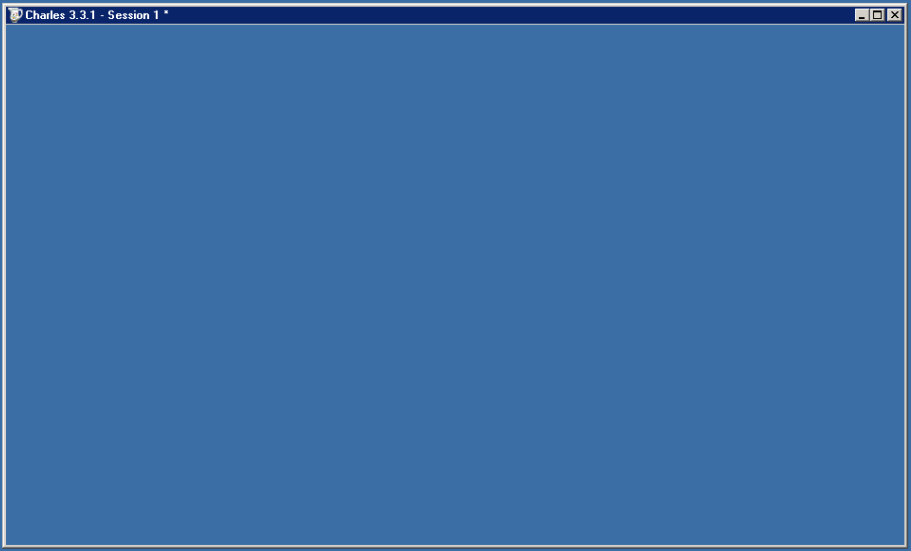
The symptoms are simple: you load a program but only the program outline and maybe the first frame would show up. After that, nothing would update, even though the user in front of the remote computer can see everything updating fine. For me, it is happening with all Java based programs (SmartSVN, Charles - amazing program btw!, etc). Here's what's happening to my Charles application - it never even sent the first frame, simply showing the desktop and not updating:
image

The problem may be confined to RealVNC only, or at least any VNC program that uses a special mirror driver. You can tell whether your VNC server uses a mirror driver by looking at your Settings->Desktop options under "Optimise screen capture (mirror driver)":

image

The Solution

I'm not sure if it's Java's fault or the mirror driver's but, as it turns out, the mirror driver does not properly work with Java based programs, at least at the moment. Disabling it, or switching to application hooking fixes the problem. There is most likely a benefit in using a mirror driver as it is probably optimized better than other methods, but it's not worth keeping if you are having problems with it.

The easiest way to disable the setting is to uncheck the checkbox above. You can also alternatively go to Expert options, find the UpdateMethod variable, and switch it to 0 or 1. I am fairly confident the setting of 1 is less resource intensive than 0, so I went with it.

image

My Java programs are fixed and redrawing fine now.

 
  • Share/Save/Bookmark

image From time to time my, still curious, mind accumulates a variety of questions and concerns which it has to spill onto the pages of this blog. How random are these? Pretty damn random, and I need to see some answers, quick. Oh, and I’m deliberately not searching Google, as I want to facilitate discussion. What fun would it be if I just looked up all these?

Password Protected Garage Door Remotes

As a paranoid person and a recent homeowner, I started to wonder how safe I actually am in my house. Consider this likely scenario that nobody seems to be concerned with:

I park my car outside for one night and don’t take out my portable garage door remote, the one with a single open/close button. Or, even worse, the remote code is programmed into one of those garage opener buttons built into the car. A car burglar comes along, breaks the window, and trashes my car. Wow, an added bonus – a free entrance into the house!

Needless to say, this is bad already. How many of you lock the door between the house and the garage? What if you forget to do that as well? Is there a spare house key laying around in the garage? You may say “but I’ll hear the garage door open” but does it actually make you feel better? You will be present with an intruder in your house, which will scare the living shit out of you non-governator types.

So here’s my question to you, Internet, is there a garage door remote I can buy that has a programmable keypad, so that a password is needed for the button to work? In fact, it would be almost the same as the one that mounts next to the garage door. And can it not cost $100?

Twitter Security

This part is not about computer security, as you may have thought at first, although I did recently discuss it in the Clickjacking article. I also know that I’m not the first one to bring this issue up but I think it’s worth discussing some more. Consider this scenario:

You’re a cheerful, outgoing snowboarding enthusiast with 3000 twitter (plurk, facebook, or another social network but twitter is the most relevant example) followers. Or maybe you have 3 followers. There’s a 99.9% chance that your profile and updates are public (if you have 3000 followers with a private profile, you must be some sort of a chump. And yes, I did just make the stats up, want fight about it?).

So, on Friday night, you send the following tweet: “Gone snowboarding for the whole weekend. But not before getting piss trashed Friday night at the casino. Wooooo”.

Since anybody can watch your tweets absolutely anonymously and it’s extremely easy to dig up an address knowing very little about a person, what you just said was “If you are a burglar looking for the next opportunity, just drop everything and come on by Friday night. I will be far-far away but my house (located at 123 Main St) will be available for your robbing pleasures. You only have 2 days before anyone is home, so feel free to crash on the couch and eat my food. Don’t forget to feed the cat. Kthx.”

Is this a likely scenario? Not really, unless twitter raises the tweet length to more than 140 characters, but otherwise you see where I’m going with this. Don’t be stupid – avoid advertising exact details of your whereabouts, vacation plans, etc. There are plenty of uses for Twitter without giving up most of your privacy. Ask yourself: would you post a note with your whereabouts on your door every time you leave the house for a while?

How Do Trains And Buses Know Where They Are?

If you live in a relatively large city, you have seen relatively accurate bus and train arrival predictions and, in some cases, almost exact locations of each vehicle. For example, here in San Francisco we have MUNI stations with live maps of trains’ whereabouts and bus stops with bus predictions on small electronic displays.

What is the technology behind it? It cannot be just GPS, because trains go underground where there is no reception. If it’s a combination of externally mounted sensors, are they also placed outside, once the train gets out into the street? Or is it some sort of a 2-way GPS (a conventional GPS device is just a receiver) underground that switches to sensors above ground? I don’t know but I want to.

Train/Bus Drivers And Bathrooms

While I’m on the public transportation subject, here’s what I want to know: if you are a train/bus/trolleybus driver, what do you do if you NEED to go somewhere when you are half way down your route? All of us had such moments at least once, and sometimes you just HAVE TO drop the bomb, sink some submarines, drop the kids off at the pool, release the chocolate hostage, plant some potatoes, give birth to a VB programmer, down the proctoscope, bake some brownies, you know what I mean (if you don’t, you’re a senile muppet, what are you doing on the Internet?).

They can’t just leave the train in the middle of the street, can they? Have you ever seen one run out in the middle of the street? I’m really curious here.

All Of Dilbert

Is there a Dilbert collection somewhere that has every Dilbert comic in an easily browseable manner, ideally with ratings I can sort by? 100 Dilberts per page would be ideal. Ah, looks like the new Dilbert.com finally made it a reality: all Dilbert comics sorted by votes, 49 per page.

Where Can I Buy A Circus Tent?

Who sells them? The ones where elephants and clowns could fit. It could also double as a portable office.

Who Gets To Eat The Most Delicious Burger In Burger Commercials?

And where do I sign up? I’m serious.

● ● ●

Yeah, so that’s pretty much what’s on my mind right now. What’s on yours?

 
  • Share/Save/Bookmark

Updated: February 2nd, 2009

image After I graduated and got a job in downtown San Francisco, I spent the first 2 weeks trying to figure out where I could park cheaper. At $300-400 for a monthly spot or $15-30 daily, the fees started adding up really quickly. In fact, I am fully convinced that 80% of the people who can afford to park in downtown expense it in full.

I do not know why I haven’t thought of public transportation sooner. Maybe because I used to [so wrongly] associate it only with people who cannot afford a car and considered myself superior to the group, or because I thought it was too ghetto (though, very true in some cases). However, as soon as I started taking a train to work, my DFR (daily frustration rating) went down significantly. If you have not tried it, trust me – it’s not that bad.

Here is my ultimate point: if life allows, take public transportation – the positives outweigh the negatives.

In fact, I came up with a few reasons why taking a train/bus rocks driving, some obvious, others perhaps not as much. Here they are, in order of increasing significance:

11. I could give up my car. Sell it, never buy it in the first place, return the lease - money saved either way. Newsflash: no car – no need to fix it.

10. No more insurance to pay for. Oh, Geico, how much I love you[r commercials].

9. Taking a train is faster than driving, for most metropolitan people. BART gets me to downtown SF in 15 minutes. A car takes anywhere between 25 and an hour.

8. No need to look for or pay for parking.

7. Taking public transportation is a lot more “green” than driving, even if you drive a hybrid.

6. I don’t have to pay for gas. Yeah, I have to pay for the ticket but a $45/month pass is all I need to buy. People who live further away may have higher expenses, but not nearly as high as all the fees associated with driving a car.

5. I can work on my projects using my laptop (iPod touch, PDA, Phone, whiteboard, Etch a Sketch) during the commute. In fact, I’m writing this post from a MUNI train. I can think and reflect. I can read a book. Anything is more productive than driving.

4. I can SLEEP. It is really a subset of #5 but this activity is so important, it deserved its own spot. Disclaimer: sleeping on a late night train can be dangerous and may result in murder and robbery, not that it stops me.

3. No chance of a car accident. OK, very little chance, but if a bus I’m in hits a car, I have a feeling the odds are on my side.

2. Drinking? No problem - you are not the one driving. Just don’t combine a 2 day binge session with activity #4, because that’s just creepy and people might want to poke you.

And the winner is:

1. No traffic to be stuck in. Hell, in case of ground transportation, even if you are stuck, you are not driving, so relax and do #4.

What about you? Here's a quick poll.

How Do You Get To Work?

View Results

Loading ... Loading ...
 
  • Share/Save/Bookmark