Updated: December 25th, 2011
 As a developer, I both love and hate Eclipse for its chaotic nature, buggy and sometimes unusable interface, but at the same time incredible usefulness and ability to serve as a single tool for all of my development, be it C++, PHP, Java, Android, Perl, etc.
One of the biggest problems with Eclipse is that there is no clear upgrade path from major versions, for example 3.5->3.6. What I ended up having to do for years is back up the old release, download and unpack the new release, and then try to migrate all the settings by importing and exporting left and right. Not so pleasant.
Turns out, as of Eclipse 3.3 (though I've only tried it with Eclipse 3.5), …
Updated: July 26th, 2010
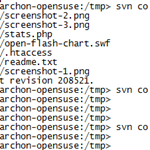 This is a quick recipe that I found pretty interesting and relatively unknown.
Everyone who uses SVN knows that most repositories are set up to allow viewing of their contents via a web browser. For example, here's the trunk of WP Plugins SVN: http://plugins.svn.wordpress.org/ and here is the current trunk version of a specific file, let's say http://plugins.svn.wordpress.org/stats/trunk/readme.txt.
The Problem
However, what if you wanted to view a specific revision of a file or directory in your browser?
Let's say I wanted revision 100,000 of http://plugins.svn.wordpress.org/stats/trunk/readme.txt
Normally, on a command line, you'd do something like
svn co http://plugins.svn.wordpress.org/stats/trunk/readme.txt stats cd stats; svn up -r100000 readme.txt |
or simply
Sprint And HTC Release The First HTC Hero Firmware Update 1.56: Fixes Major Bugs, Adds Small Tweaks
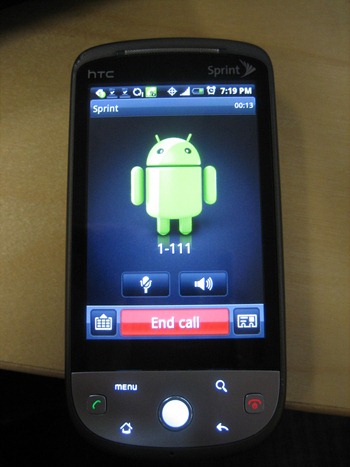 Only 2 days after I posted the list of problems with my HTC Hero (The Not So Good, The Bad, And The Ugly: My List Of 20+ Problems With HTC Hero) Sprint and HTC released the first firmware update.
The Update
To update your Hero, go to Settings->About phone->System updates->Firmware update.
The update took about 10 minutes to install, weighed 3.7MB or so, and rebooted the phone twice – once to install and once to reboot after the installation, so make sure you don't need to make any important phone calls during that time.
After the update, I immediately noticed the broken application icons (issue #4 on my bug list) fixed. The phone seems is definitely quite a …
The Problem
If you use VNC to remotely connect to your machines and are having problems with certain applications not showing changes (redrawing), this will, hopefully, solve the problem for you.
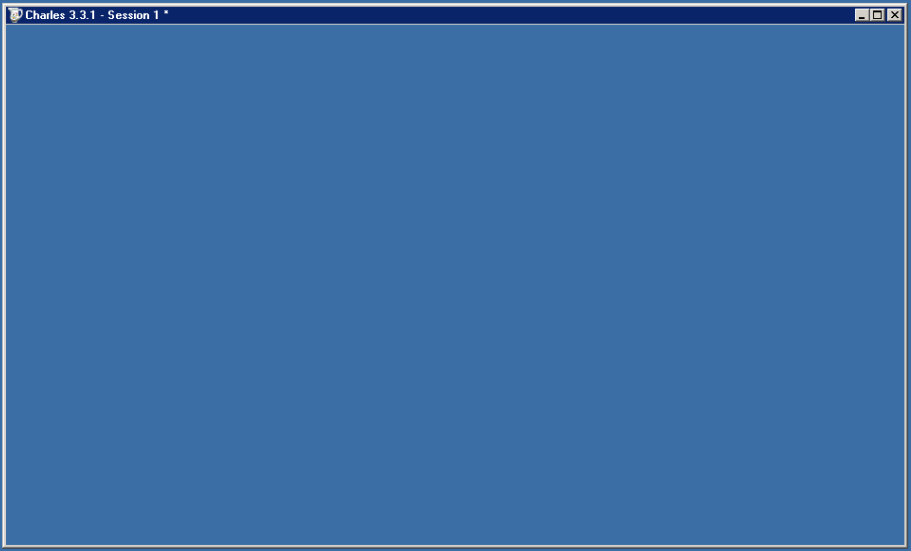
The symptoms are simple: you load a program but only the program outline and maybe the first frame would show up. After that, nothing would update, even though the user in front of the remote computer can see everything updating fine. For me, it is happening with all Java based programs (SmartSVN, Charles – amazing program btw!, etc). Here's what's happening to my Charles application – it never even sent the first frame, simply showing the desktop and not updating:
The problem may be confined to RealVNC …
[MySQL] Deleting/Updating Rows Common To 2 Tables – Speed And Slave Lag Considerations
Introduction
A question I recently saw on Stack Overflow titled Faster way to delete matching [database] rows? prompted me to organize my thoughts and observations on the subject and quickly jot them down here.
Here is the brief description of the task: say, you have 2 MySQL tables a and b. The tables contain the same type of data, for example log entries. Now you want to delete all or a subset of the entries in table a that exist in table b.
Solutions Suggested By Others
DELETE FROM a WHERE EXISTS (SELECT b.id FROM b WHERE b.id = a.id); |
 As Matt Cutts (Google's SEO and search quality expert) wrote in his blog entry a few days ago, Google PageRank updates are underway. Google updates PR (Page Rank) quite rarely – every three months or so, and it's the most important thing a website operator should be concerned with when it comes to site promotion and popularity.
I'm happy to report that Beer Planet's PR went up yet again on this update, from 3 to 4 and my buddy Thaya's PR went up from 2 to 3. He's been blogging a lot more about WordPress, and I think he'll surpass me very soon, thanks to his ingenious plugins.
Is it time to check your site's PR? You …
How To Check If The Local SVN Revision Is Up-To-Date
I've encountered a problem recently where I had to figure out if some checked out code is up-to-date with the svn repository, without actually running svn update. Unfortunately, svn update doesn't have a dry-run option, so I had to find another solution.
I came up with 2, depending on how detailed the information needs to be, which I'm about to share in this post.
1. If you want exact file and directory names, you can run:
svn status -u |
If any files need updating, you will see a * before the file name.
svn status wc M wc/bar.c A + wc/qax.c |
If you're like me, most of your WordPress plugins are checked out into your plugins directory from the official WordPress SVN repository or some other one. I haven't updated any of mine for about a month and wanted to sync up everything quickly (including SVN externals). Here's a short command I ran to achieve that:
1 2 |
cd YOUR_BLOG_ROOT/wp-content/plugins; find . -maxdepth 1 -type d -exec svn up {} \; |
What this command does is finds the top level directories in your WordPress plugins directory, then applies the "svn update" command to each, one by one.
The result is something like
 beer planet is a blog about technology, programming, computers, and geek life. It is run by Artem Russakovskii - a local San Francisco geek who is currently pursuing his own projects and regularly enjoys hacking Android, PHP, CSS, Javascript, AJAX, Perl, and regular expressions, working on Wordpress plugins and tools, tweaking MySQL queries and server settings, administering Linux machines, blogging, learning new things, and other geeky stuff.


