Monitor All Your Domains From One Location
For quite a while now I wanted a tool to maintain a list of my domains and monitor them for expirations and registration state changes. Having a spreadsheet didn’t cut it anymore but thanks to Joel’s question on stackoverflow, I found DomainTools monitor.
The monitor is free, can track up to 1000 domains and send email (and RSS) alerts when it detects any status changes. Here are the advertised features:
- Domain Status like "registrar-lock", "redemption-period", and "pending-delete" changes will be sent to you so you can take action when your favorite domains are about to be released.
- Domain Registar changes are a sign of domain transfers which are detected by Domain Monitor.
- Expiration dates are monitored so
…
Programming Comics: xkcd – 11th-Grade Activities
Hey, I can relate to today’s xkcd! It hits close to home:
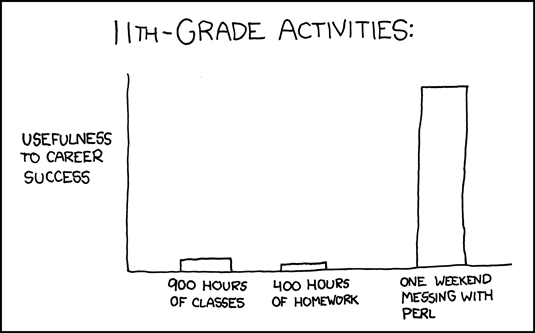
And some more traveling down the Perl related memory lane (yeah, these are old, I know):
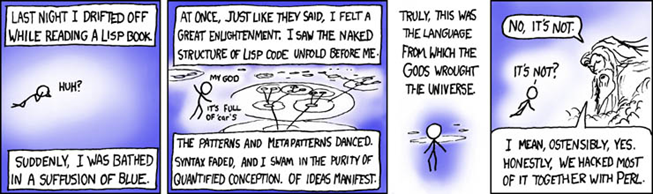
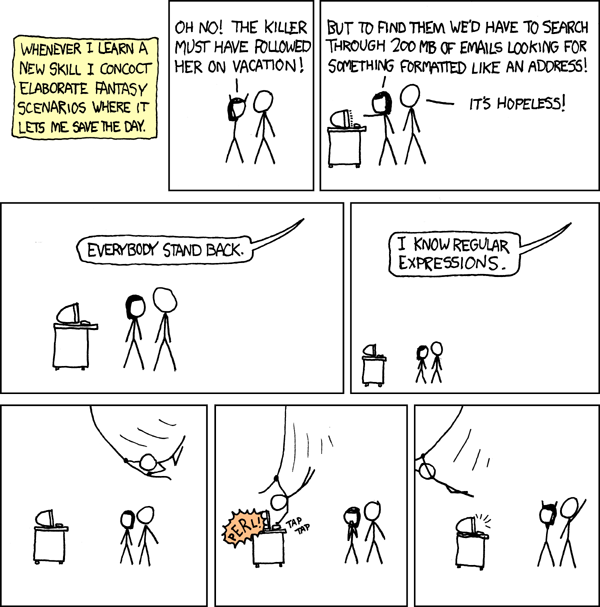 …
…
Updated: October 24th, 2012
 I’m now convinced that insurance companies exist in this world for the sole purpose of making our lives a living hell any time we need to deal with them. The worse each experience, the less likely we are to file another claim. Of course, we’re also less likely to continue coverage with the same company, but at that point they’d already received our money and, if we accept a notion that most insurance companies have the same evil idea in mind, there’s little one can do to get satisfaction. Except for one thing – spread information about such especially heinous institutions.
Does my story have a happy ending? Maybe, or maybe not, it depends on whether you think the …
The Ultimate Programming Language – LOLCODE
 If you are a programmer, you, by definition, belong to the elite [awesome] human breed called geeks. If you know how to code in Python or Ruby, you might even think you’re pretty hot shit. But none of that compares in hotshitness to what you are about to learn.
Allow me to introduce LOLCODE – perhaps the most serious and, for some, cryptic, programming language. It is Turing-complete and uses an advanced compiler called Brainfuck (I’m still totally serious, and by the way if you’ve never heard of LOLCATS, then you’re not spending nearly enough time on the Internets. See the funny button that looks like a cross at the top right of your IE? Click it or your …
A Detailed Depiction Of The Job Interview Process At Google (by Peteris Krumins)
 Peteris Krumins is nothing short of a technical genius. Every single one of his blog posts is so detailed, one can write a book about it. He blogs about Linux, programming, and other tech stuff on his blog http://www.catonmat.net/.
A short while ago, Peteris posted his very thorough experience interviewing at Google. Needless to say, the level of detail is astounding. Unfortunately, he didn’t get the job but the post is very positive and informative. Here is the gist and a short excerpt:
Basement hackers compete to best Netflix recommendations $1M
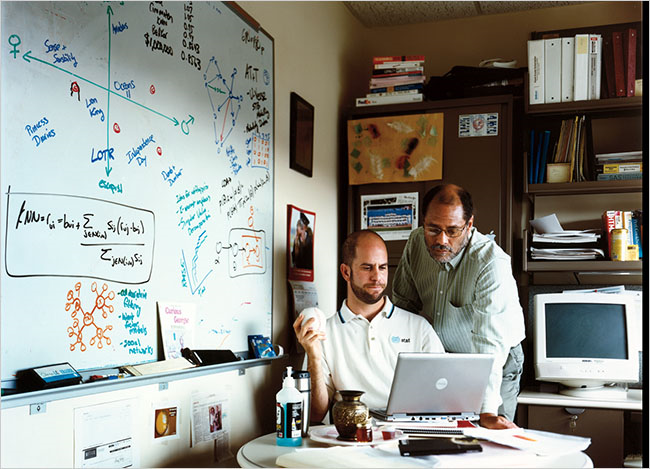 This is a great read by NY Times. An article on 6 pages rarely gets my full attention but this is one of them (though I detest the usage of "basement hacker").
Basement hackers and amateur mathematicians are competing to improve the program that Netflix uses to recommend DVDs — and to win $1 million in the process.
"THE “NAPOLEON DYNAMITE” problem is driving Len Bertoni crazy. Bertoni is a 51-year-old “semiretired” computer scientist who lives an hour outside Pittsburgh. In the spring of 2007, his sister-in-law e-mailed him an intriguing bit of news: Netflix, the Web-based DVD-rental company, was holding a contest to try to improve Cinematch, its “recommendation engine.” The prize: $1 million.
Cinematch is the bit
…
Read the rest of this article »
 Everyone hates spam, right? Right, well maybe except for security researchers – it pays their bills. But the rest of the sane world does, and so do I, and while gmail has figured out a way to deal with the problem 99.9% of the time, nobody invented instant messenger anti-spam solutions yet [I think].
Lately I have been getting increasingly annoyed with a certain unexplainable, persistent, and surprisingly intelligent botnet on AIM. From time to time I would get messages from some sort of a fish variation. My list so far consists of the following IM names: CroppedCoho, FortifiedTrout, FreshenedupTrout, FrozenSolidTrout, HandcuffedCoho, KissableCoho, PreferentialCoho, SmarterCoho, TentativeCoho, WantedCoho, and YoinkedTrout. Does it look annoying already? Well, it is.
Each of the …
Updated: July 30th, 2021
 Crash is one of the new shows I’m into and Panic is one of the most likeable and original characters on the show. I really think he’s going to be back after this show – it’s his breakthrough performance.
So, in, I think, episode 4 Panic (Jocko’s character) goes to the studio and raps for the first time. What comes out is quite amazing, I recommend you watch that episode for a more complete experience. Otherwise, proceed to the MP3 that I got directly off Jocko’s myspace page.
You can play it right on this page (Edit: download link removed, per Jocko's request in the comments) or support Jocko by buying his album off Amazon for only $0.99 …
Updated: July 30th, 2021
The Idea
 For the past month I have been exploring options and building a perfect Home Theater PC for my 50” Vizio plasma. Besides the obvious, it has to play movies, youtube videos, etc, I had a few concrete goals in mind. Here they are:
- it absolutely had to handle 1080P h264, specifically movies encoded using x264. An average movie size for this format is between 8.5 and 13 GB. There were 2 problems to overcome: the CPU had to be able to handle the decoding (my desktop dual core Conroe barely kept up) and the network had to be fast enough to stream in real time from my storage PC a floor away.
- I needed to have the easiest
…
This Ought To Teach You To Not Go On Vacation
I’ve been meaning to post this for a while: a friend of mine by the name of Thaya took this picture at his office recently and shared it on nowthen.com. I love office pranks, and this one is world-class! Check it out.

Kudos to the Coral8 team.
Credit: nowthen.com….
Hadoop Primer – Yet Another Hadoop Introduction
 I just came upon a pretty good Hadoop introduction paper posted on Sun’s wiki. Apache Hadoop is a free Java software framework that supports data intensive distributed applications. It enables applications to work with thousands of nodes and petabytes of data. Hadoop was inspired by Google's MapReduce and Google File System (GFS) (wikipedia). I wouldn’t call it an alternative to mysql – they’re in completely different weight categories. I like to think of Hadoop as a complement – I think it’s closer to memcached in its functions than to mysql. Perhaps a hybrid of both but a unique beast nonetheless. If you’re serious about scaling, you owe it to yourself to start exploring Hadoop yesterday.
A couple of …
More On Android – A Mobile OS With A Clue
I’d like to share this relatively new video that shows Google Android’s mutli-tasking capabilities and the seamless integration of these capabilities. Hey, it’s got a copy/paste too (eat that, iPhone!). Android is an OS that’s got a clue. I applaud Google developers for thinking ahead.
You can view more videos from the Android/Google developers here….
Best Current Shows On TV That I’m Addicted To
Updated: November 16th, 2008
There are some shows on TV that make me vomit (hint: most, especially on MTV). Others don’t spark any interest at all. But there are select few that are anywhere from great to outstanding. I’m here to help you sort through all the bullshit.
Here is my list (these shows are relatively new, I didn’t want to include classics, like Seinfeld):
1. The Unit. Dennis Haysbert (that’s president Palmer from 24) and his crew make The Unit simply amazing. Each episode offers a new unique captivating mission, while sticking to the main plot. Battle action and The Unit’s family lives are mixed together perfectly. I recommend watching from season 1. A+.

2. How I Met Your Mother. Best …
How To Sort Folders The Same Way As Files In Total Commander
For the longest time I wanted to sort folders (aka directories) in Total Commander but it just wouldn’t. The sort rules only applied to files and I never took the time to figure it out. Well, I found the option now, which I want to share. I can finally see what movies, ahem, I mean presentations, I downloaded last.
The option is right there, in the middle, Sorting Directories. The default is Always by name. Change it to Like files (also by time) and you’re done.
 …
…
 beer planet is a blog about technology, programming, computers, and geek life. It is run by Artem Russakovskii - a local San Francisco geek who is currently pursuing his own projects and regularly enjoys hacking Android, PHP, CSS, Javascript, AJAX, Perl, and regular expressions, working on Wordpress plugins and tools, tweaking MySQL queries and server settings, administering Linux machines, blogging, learning new things, and other geeky stuff.


